Soil Mechanics – Analysis of Soil Hydrometer Testing | Geotechnical Excel Spreadsheets

Soil Mechanics – Analysis of Soil Hydrometer Testing | Geotechnical Excel Spreadsheets

[GEO-2025-0119] – By Dr. Ahmad Fahmi

We are pleased to introduce the Soil Hydrometer Testing Analysis spreadsheet pack, part of the GEOtExcel (2025-1) collection. This set includes 7 comprehensive spreadsheets designed for geotechnical engineers and soil mechanics students to perform hydrometer analysis and determine soil properties such as effective depth, k-value, and temperature correction factors.


What’s Included in the 7 Spreadsheets?

  1. Start: The introductory sheet to begin the hydrometer analysis for soil.
  2. Calculation: Comprehensive sheet for input, computation, and output tables for the soil hydrometer analysis process.
  3. Table 1: Table for Effective Depth (L) determination based on actual hydrometer reading (RC1).
  4. Table 2: Table for k-value determination based on Gs (specific gravity) and temperature in soil hydrometer analysis.
  5. Table 2-Full: Expanded version of Table 2 for more detailed k-value determination.
  6. Table 3: Sheet for determining the Temperature Correction Factor (CT) during soil hydrometer analysis.
  7. Table 3-Full: Extended version of Table 3 for accurate temperature correction factor determination.

Applications in Soil Mechanics and Geotechnical Engineering:

  • Perform soil classification tests using hydrometer analysis
  • Accurately determine soil’s effective depth and specific gravity (Gs)
  • Calculate k-value based on real lab data
  • Apply temperature correction factor (CT) to soil behavior analysis
  • Educational use for soil mechanics and geotechnical engineering courses
  • Useful for soil testing and lab experiments

📦 Part of GEOtExcel 2025-1 Collection

This product is part of the GEOtExcel (2025-1) suite, featuring:

  • 12 groups of spreadsheets
  • 50 files for various soil mechanics and foundation engineering calculations
  • 470+ spreadsheets
  • Secure and permanent access to all files on your computer
  • Commercially licensed for professional use

For more information or to purchase, contact us at:
📧 academy.dr.fahmi@gmail.com


🛒 To Buy GEOtExcel and Use It on Your PC:

👉 How to Buy GEOtExcel and Use It on Your PC


🔗 Follow GEOtExcel on Social Media:


👨‍🏫 About Dr. Ahmad Fahmi

Assistant Professor, Geotechnical Engineering, University of Bonab
Dr. Fahmi specializes in integrating Excel-based solutions with soil mechanics, foundation engineering, and geotechnical testing.


📌 Stay Updated:

Subscribe for upcoming lectures on:

Soil Mechanics – Unified Soil Classification System (USCS) | Gravel Soil Examples | Geotechnical Excel Spreadsheets

Soil Mechanics – Unified Soil Classification System (USCS) Gravel Soil Examples | GEOtExcel Spreadsheets

[GEO-2025-0112] – By Dr. Ahmad Fahmi

We are excited to introduce the Unified Soil Classification System (USCS) Gravel Soil Examples spreadsheet pack as part of the GEOtExcel (2025-1) collection. This 20-sheet bundle is designed for geotechnical engineers, soil mechanics students, and civil engineering professionals looking to classify gravel soils using the USCS system based on sieve analysis and Atterberg limits.

What’s Included in the 20 Spreadsheets?

  1. DATA: Unified Soil Classification System data series with sieve analysis and Atterberg limits.
  2. Data Form: Standardized data form for sieve analysis and Atterberg limits tests.
  3. Analysis Sheet-Empty: Empty sheet template for soil classification based on USCS data.
  4. USCS: USCS process table to help classify soil types based on test results.
  5. Examples: Example table with five examples of gravel soils classification using USCS.
  6. Example 1 – GW: Well-graded gravel classification.
  7. F1: Data form for sieve analysis and Atterberg limits for Example 1: GW.
  8. S1: Soil classification analysis sheet for Example 1: GW based on USCS.
  9. Problem 2 – GP: Well-graded gravel classification example.
  10. F2: Data form for sieve analysis and Atterberg limits for Example 2: GP.
  11. S2: Analysis for soil classification for Example 2: GP.
  12. Problem 3 – GC: Gravelly clay soil example.
  13. F3: Data form for sieve analysis and Atterberg limits for Example 3: GC.
  14. S3: Analysis for soil classification for Example 3: GC.
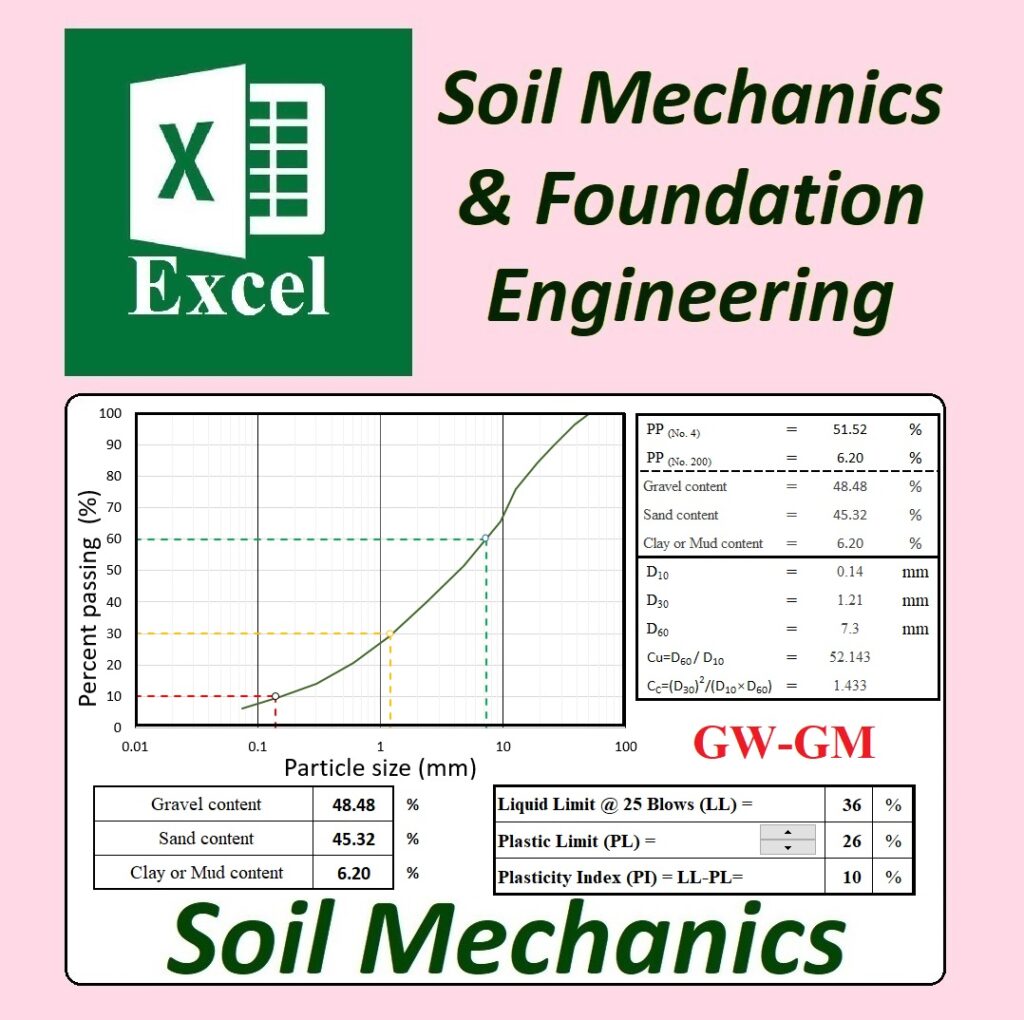
  15. Problem 4 – GW-GM: Well-graded gravel-silty gravel example.
  16. F4: Data form for sieve analysis and Atterberg limits for Example 4: GW-GM.
  17. S4: Analysis for soil classification for Example 4: GW-GM.
  18. Problem 5 – GP-GC: Well-graded gravel-clay gravel example.
  19. F5: Data form for sieve analysis and Atterberg limits for Example 5: GP-GC.
  20. S5: Analysis for soil classification for Example 5: GP-GC.

Applications in Geotechnical and Civil Engineering:

  • Classification of gravel soils for construction projects
  • Performing sieve analysis and Atterberg limits tests
  • Understanding and applying the USCS soil classification system
  • Preparing data forms and analysis sheets for soil lab work
  • Teaching soil mechanics and geotechnical courses
  • Research and fieldwork in soil behavior and composition

📦 Part of the GEOtExcel 2025-1 Collection

This product is part of the comprehensive GEOtExcel (2025-1) package, featuring:

  • 12 groups
  • 50 files
  • Over 470 spreadsheets
  • Secure, permanent access
  • Available for purchase with a commercial license

For inquiries or to purchase, please contact:
📧 academy.dr.fahmi@gmail.com

🛒 To Buy GEOtExcel and Use It on Your PC:

👉 How to Buy GEOtExcel and Use It on Your PC

🔗 Follow GEOtExcel on Social Media:


👨‍🏫 About Dr. Ahmad Fahmi

Assistant Professor, Geotechnical Engineering, University of Bonab
Dr. Fahmi specializes in applying Excel-based solutions for geotechnical engineering, soil mechanics, and foundation engineering.


📌 Stay Updated:

Subscribe to our channel for upcoming video lectures on:

Soil Mechanics – Soil Phase Relationships Calculator | Geotechnical Excel Spreadsheets

Soil Mechanics – Soil Phase Relationships Calculator | Geotechnical Excel Spreadsheets

[GEO-2025-0106] – By Dr. Ahmad Fahmi

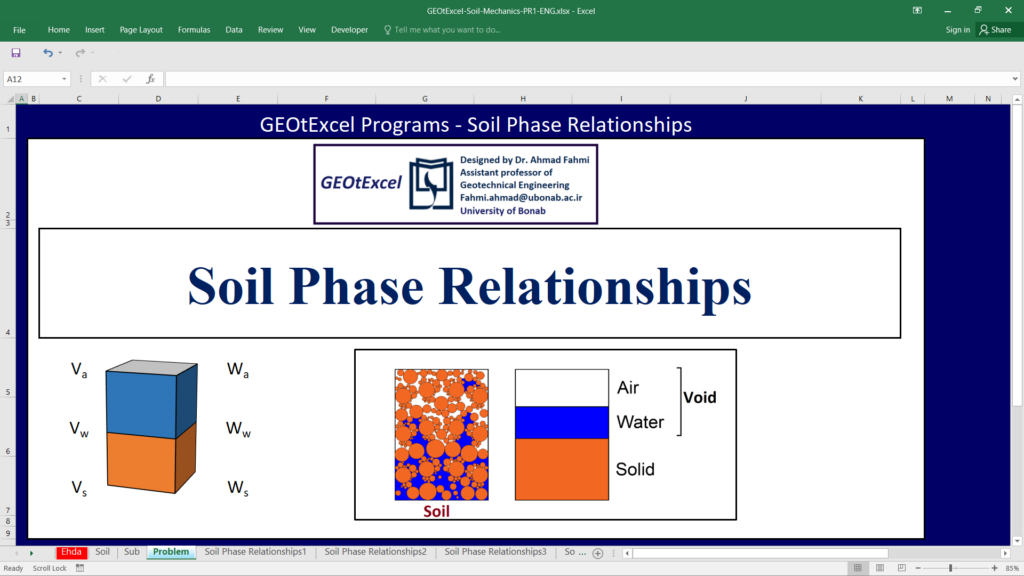
We are proud to introduce one of the most comprehensive Excel spreadsheet packs for Soil Mechanics: the Soil Phase Relationships Calculator, part of the GEOtExcel (2025-1) collection. This package includes 32 educational and professional spreadsheets, offering an in-depth look into the fundamental properties of soil as a three-phase system.

These spreadsheets are essential for students, civil engineers, geotechnical professionals, and lecturers dealing with soil behavior and laboratory testing.


🔍 What’s Included in the 32 Spreadsheets?

  1. Questions – 32 conceptual and applied questions designed to test and teach soil phase relationship fundamentals.
  2. Soil Phases 1 – Introduction to the three-phase soil system: solid, liquid, and gas.
  3. Soil Phases 2 – Continuation of the three-phase system with volumetric relationships.
  4. Soil Phases 3 – Graphical illustration and conceptual breakdown of soil structure.
  5. Soil Phases 4 – Final part of the introduction covering real-world soil phase examples.
  6. SP1 – Volume-based representation of the three-phase soil model.
  7. SP2 – Weight-based representation of the three-phase soil model.
  8. SP3 – Total volume, volume of voids, total weight, and how they interact.
  9. w – Water content (moisture): concept, formula, and example.
  10. e1 – Void ratio Part 1: Conceptual understanding and base formula.
  11. e2 – Void ratio Part 2: Extended explanation with examples.
  12. n – Porosity: Formula and relationship to soil structure.
  13. e, n – Relationship between void ratio and porosity: mathematical and graphical view.
  14. Sr – Degree of saturation: what it is, how to calculate it, and its significance.
  15. ac – Air content: concept and derivation from soil voids.
  16. na – Percentage air voids: practical computation in different soil states.
  17. Water – Unit weight of water used in calculations (ρw).
  18. Air – Unit weight of air (typically negligible, but acknowledged).
  19. Solid – Unit weight of soil solids (γs) and how to determine it.
  20. Gs1 – Specific gravity Part 1: Concept and application.
  21. Gs2 – Specific gravity Part 2: Extended examples and deeper insight.
  22. 3-Phase Soil – Summary sheet combining all phase-based relationships and equations.
  23. Gs2 – Different Units – Specific gravity and unit weight conversions across different unit systems.
  24. DUW – Dry Unit Weight: how to calculate and use it in design.
  25. MUW – Moist Unit Weight: relationship with water content.
  26. SUW – Saturated Unit Weight: calculation under fully saturated conditions.
  27. Unit Weight & Limits – Reference table showing common ranges and practical boundaries for unit weights.
  28. Graphs1 – Soil Phase Graphs: g–Sr & g–w in g/cm³.
  29. Graphs2 – Soil Phase Graphs: g–Sr & g–w in kg/m³.
  30. Graphs3 – Soil Phase Graphs: g–Sr & g–w in kN/m³.
  31. All – Combined summary of dry, moist, and saturated unit weights.
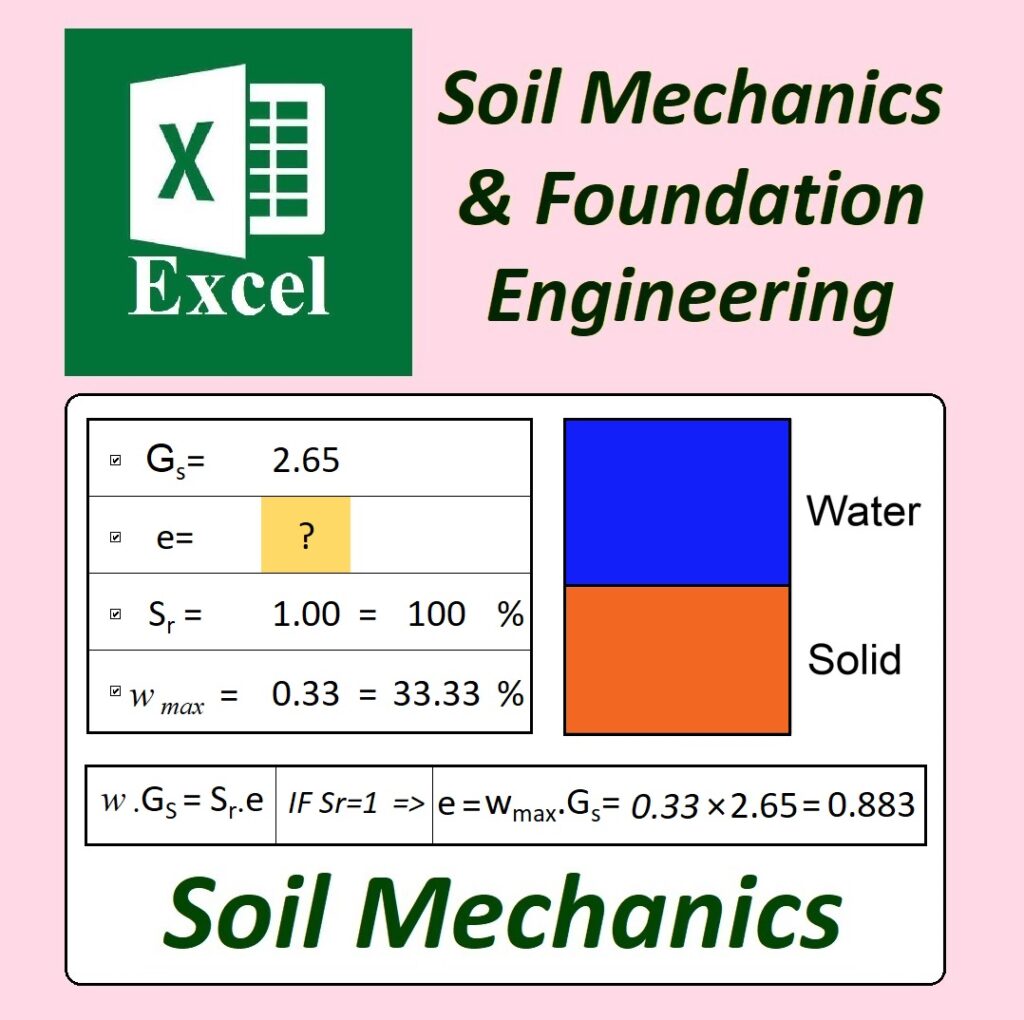
  32. w.Gs = Sr.e – The critical identity formula connecting water content, specific gravity, saturation, and void ratio.


📊 Applications in Civil and Geotechnical Engineering

  • Teaching soil mechanics
  • Lab and report data analysis
  • Assignment and quiz design
  • Parameter estimation and validation
  • Academic and professional research
  • Interactive visual modeling of soil states

📦 Part of GEOtExcel (2025-1)

The full GEOtExcel 2025-1 release includes:

  • 12 topic categories
  • 50 Excel files
  • 470+ spreadsheets
  • Secure and permanent use
  • Commercial license

To receive purchasing info, email:
📧 academy.dr.fahmi@gmail.com


🛒 To Buy GEOtExcel and Use It on Your PC:

👉 How to Buy GEOtExcel and Use It on Your PC


🔗 Follow GEOtExcel on Social Media:


👨‍🏫 About Dr. Ahmad Fahmi

Assistant Professor, University of Bonab
Creator of GEOtExcel – bridging practical geotechnical analysis with Excel-based tools for learning and professional use.


📌 Subscribe for Upcoming Lectures:

Soil Mechanics | Foundation Engineering | Geotechnical Lab Reports
➡️ Subscribe on YouTube
How to Buy GEOtExcel and Use It on Your PC

GEOtExcel (2025-1)

GEOtExcel (2025-1)

We are excited to announce the release of GEOtExcel (2025-1), now more accessible, secure, and permanently usable on your personal computer. Based on valuable user feedback, we’ve enhanced the delivery method. GEOtExcel is now available as an Excel-based desktop application, offering the following advantages:

  • Lifetime, unlimited access on your personal computer
  • Save, print, and manage data locally, with no restrictions
  • No internet or cloud connection required

🔺 Important Note:
The current version (2025-1) is fully functional and permanently usable on the registered computer. Should future versions be released, existing users will enjoy special discounts for upgrading.


📦 How to Order GEOtExcel – Version 2025

To get started, follow these simple steps:

  1. Download and unzip the provided package: Download here The package contains two Excel files:
    • File 1: GET ID
      This file helps you extract your computer’s unique ID. Open it, then click the “Copy Computer ID” button to copy your ID.
    • File 2: Agreement
      This file has 3 sheets:
      • Sheet 1: Price List – Select the GEOtExcel files you wish to purchase; the total price will be automatically calculated.
      • Sheet 2: Customer & PC Info – Fill in your contact details and paste the copied Computer ID.
      • Sheet 3: Agreement – Review and sign the agreement.
  2. Send the completed Agreement file to:
    📧 academy.dr.fahmi@gmail.com

File Safety Assurance

The “Get ID.exe” file and the GEOtExcel files (which will be shared with you after we receive the completed agreement) are all safe. If your antivirus or firewall issues a warning, please rest assured that the files are secure and can be downloaded and run without concern.


You can be fully confident that our support team will assist you throughout the entire process — including payment, installation, and file delivery. If you have any questions, please feel free to ask. We will guide you through the installation process.

Thank you for choosing GEOtExcel.
GEOtExcel Support Team


Agreement Instruction Video


GEOtExcel: Soil Mechanics

Excel Spreadsheets for Soil Mechanics

YouTube.com: @Dr.Fahmi.GEOtExcel